SEO Title: UltaHost Windows Hosting Review 2026: Windows VPS Plans, Pros and Cons
URL Slug: ultahost-windows-hosting-review
Affiliate Link: Check UltaHost Windows Hosting Pricing

It is designed for Windows applications, Remote Desktop access, ASP.NET projects, Windows-based business tools, Plesk hosting, IIS workloads, and users who want full admin access to a Windows VPS.
The main appeal is that UltaHost combines Windows VPS hosting with NVMe storage, DDR5 RAM, managed server support, RDP access, Plesk support, security features, and scalable plan tiers.
The short version: UltaHost Windows Hosting is worth considering if you specifically need a Windows VPS. It is not the cheapest way to host a normal website, but it makes sense for Windows-based apps, remote desktop workflows, ASP.NET hosting, and business software that needs a Windows environment.
UltaHost Windows Hosting is a Windows VPS hosting service.
That means you get a virtual server running Windows, with more control and isolation than shared hosting. You can connect through RDP, manage server settings, install Windows tools, and use software that requires a Windows environment.

UltaHost highlights:
- Windows VPS hosting
- RDP access
- Full admin access
- NVMe SSD storage
- DDR5 RAM
- Managed server support
- Plesk support
- IIS Manager
- Docker
- Windows Admin Center
- Security features
- 30-day money-back guarantee

Based on the UltaHost Windows Hosting page checked on June 12, 2026, the main Windows VPS plans are:
Basic Windows VPS
- Starting price: around $13.99/month on a 24-month term
- Regular listed price: $23.50/month
- CPU: 2 CPU cores
- RAM: 2 GB DDR5
- Storage: 50 GB NVMe SSD
- Server type: managed server
Business Windows VPS
- Starting price: around $20.99/month on a 24-month term
- Regular listed price: $34.99/month
- CPU: 2 CPU cores
- RAM: 4 GB DDR5
- Storage: 80 GB NVMe SSD
- Server type: managed server
Professional Windows VPS
- Starting price: around $29.50/month on a 24-month term
- Regular listed price: $48.80/month
- CPU: 3 CPU cores
- RAM: 6 GB DDR5
- Storage: 150 GB NVMe SSD
- Server type: managed server
Enterprise Windows VPS
- Starting price: around $42.50/month on a 24-month term
- Regular listed price: $70.80/month
- CPU: 4 CPU cores
- RAM: 8 GB DDR5
- Storage: 200 GB NVMe SSD
- Server type: managed server
Premium Windows VPS
- Starting price: around $124.80/month on a 24-month term
- Regular listed price: $207.99/month
- CPU: 8 CPU cores
- RAM: 32 GB DDR5
- Storage: 400 GB NVMe SSD
- Server type: managed server

- Starting price: around $204.99/month on a 24-month term
- Regular listed price: $341.50/month
- CPU: 12 CPU cores
- RAM: 64 GB DDR5
- Storage: 750 GB NVMe SSD
- Server type: managed server


1. Windows VPS with RDP
UltaHost says its Windows VPS with RDP provides a responsive management interface with full admin access from any location.
This is important if you need to log into your server like a remote Windows machine.

- Remote teams
- Windows software access
- Business applications
- Testing environments
- Admin work
- Windows-based workflows
2. Full admin access
UltaHost highlights unrestricted admin access to the operating system.
That gives you more control than shared hosting. You can change server settings, install Windows software, add scripts, and configure the environment around your workload.
This is useful, but it also means you should understand basic Windows server management.

3. NVMe storage and DDR5 RAM

For Windows workloads, storage and memory matter. NVMe helps with faster read/write operations, while more RAM gives heavier apps and remote sessions more breathing room.
The smaller plans are enough for lighter tasks. The Premium and Ultra plans are more appropriate for heavier workloads.


4. Plesk, IIS Manager, Docker, and Windows Admin Center
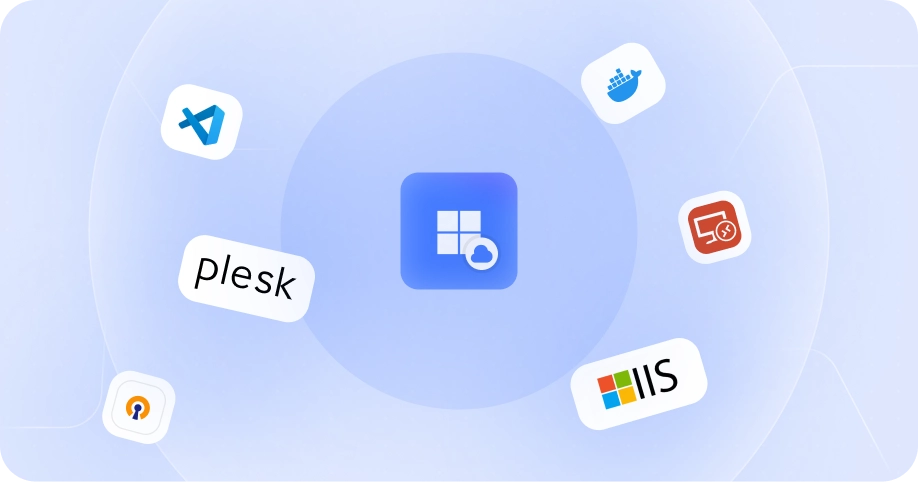
UltaHost lists support for Windows tools including IIS Manager, Docker, Plesk, and Windows Admin Center.




5. Managed updates and security
UltaHost says its team monitors servers and handles system updates to keep Windows VPS environments optimized and secure.
The page also mentions security features such as DDoS protection and firewalls that monitor suspicious traffic and threats.


1. Good option for Windows-specific workloads
If you need Windows Server, RDP, IIS, ASP.NET, Plesk on Windows, or Windows-only software, UltaHost Windows Hosting is much more relevant than normal shared hosting.
Linux hosting is usually cheaper, but it does not solve Windows-specific requirements.
2. RDP access is useful for remote workflows
Remote Desktop access makes the VPS feel closer to a remote Windows computer.
This is helpful for remote teams, Windows admin tasks, and users who need direct desktop access instead of only SSH or cPanel.
3. Scalable plan range
The plan range is broad.
You can start with Basic or Business for lighter workloads, then move to Professional, Enterprise, Premium, or Ultra as resource needs grow.
This matters because Windows workloads can become RAM-heavy quickly.
4. Plesk and IIS support
Plesk and IIS support make this more practical for users hosting websites on a Windows stack.
5. Managed support lowers the workload
The service is positioned as managed Windows VPS hosting.

1. More expensive than Linux hosting
Windows VPS hosting is usually more expensive than shared hosting or basic Linux VPS hosting.
If your website runs fine on WordPress, PHP, or a standard Linux stack, Windows Hosting may be unnecessary.
2. Basic plan has limited RAM
The Basic plan includes 2 GB RAM.
That may be enough for light tasks, but Windows environments can consume memory quickly. If you plan to run multiple services, use Plesk, or host more than a small project, Business or Professional may be safer.
3. VPS still requires technical understanding
Managed support helps, but a Windows VPS is still more technical than shared hosting.
You should understand RDP, updates, firewall basics, software installation, backups, and access control.
4. Long-term pricing needs checking
The lowest pricing is tied to longer terms and promotions.
Before buying, check the exact renewal price, billing period, and whether optional add-ons affect the final cost.
UltaHost Windows Hosting
Best for: Managed Windows VPS with RDP, NVMe storage, and scalable plans
Strengths: Windows tools, Plesk support, admin access, DDR5 RAM, managed support
Things to consider: Basic plan may be too small for heavier Windows workloads
Kamatera
Best for: Highly configurable cloud servers
Strengths: Flexible server configuration and global cloud options
Things to consider: More hands-on setup and management may be required
Liquid Web
Best for: Premium managed hosting buyers
Strengths: Strong managed hosting reputation and business-grade support
Things to consider: Usually more expensive
InterServer
Best for: Budget Windows VPS shoppers
Strengths: Competitive VPS pricing and simple plans
Things to consider: Compare support, resources, and Windows licensing details carefully
Hostwinds
Best for: Users comparing managed and unmanaged VPS options
Strengths: Flexible VPS choices
Things to consider: Plan details and management level should be reviewed before buying
UltaHost Windows Hosting is a good fit if you:
- Need Windows Server hosting
- Need RDP access
- Run Windows-only software
- Host ASP.NET or IIS-based applications
- Want Plesk on Windows
- Need admin access
- Want managed Windows VPS support
- Need scalable CPU, RAM, and NVMe storage
It is not the best fit if you:
- Only need basic WordPress hosting
- Want the cheapest possible hosting
- Prefer Linux server tools
- Do not need RDP
- Are not comfortable with VPS-level management
- Need dedicated CPU performance instead of shared VPS resources
Choose Basic if:
- You need the lowest-cost Windows VPS entry point
- Your workload is light
- You only need basic RDP and small app hosting
Choose Business if:
- You want more RAM than Basic
- You are running a small business workload
- You need a safer starting point for Windows hosting
Choose Professional if:
- You need more storage and RAM
- You are hosting expanding projects
- You want better headroom before moving higher
Choose Enterprise if:
- You need 8 GB RAM
- You run multiple services
- You want a stronger business VPS
Choose Premium if:
- You need 32 GB RAM
- You run heavier Windows workloads
- You need significantly more CPU and storage
Choose Ultra if:
- You need the top Windows VPS tier
- You need 64 GB RAM
- You want maximum VPS resources before considering Windows VDS or dedicated hosting
For most users, Business or Professional is the better starting point. Basic is cheaper, but 2 GB RAM can feel tight for Windows workloads.
UltaHost Windows Hosting is worth considering if you specifically need Windows VPS hosting with RDP, admin access, Plesk support, managed updates, and scalable resources.
I would not use it for a simple WordPress site or a normal static website. Shared hosting or Linux VPS hosting will usually be cheaper.
But if your project depends on Windows tools, remote desktop access, IIS, ASP.NET, or Windows-only software, UltaHost is a practical option.
- Lowest-cost test server: Basic
- Better starter Windows VPS: Business
- Growing project: Professional
- Business workloads: Enterprise
- Heavy Windows workloads: Premium
- Maximum VPS resources: Ultra
Check UltaHost Windows Hosting Pricing
Is UltaHost Windows Hosting shared hosting or VPS?
The page is positioned as Windows VPS Hosting. It provides Windows VPS plans with CPU, RAM, NVMe storage, RDP, and managed server support.
Does UltaHost Windows Hosting support RDP?
Yes. UltaHost describes its Windows VPS as supporting RDP access for remote server management.
Does UltaHost Windows Hosting include Plesk?
UltaHost lists Plesk among the Windows tools you can install or use on the VPS.
What is the cheapest UltaHost Windows VPS plan?
Based on the page checked on June 12, 2026, Basic Windows VPS starts around $13.99/month on a 24-month term.
Is the Basic Windows VPS plan enough?
It can work for light use, but 2 GB RAM is limited for Windows workloads. Business or Professional is a safer starting point for most serious users.
Can I host ASP.NET websites on UltaHost Windows Hosting?
Windows VPS hosting with IIS support is generally suitable for ASP.NET-style workloads, but you should confirm your exact framework and version requirements before buying.
Does UltaHost Windows Hosting include a money-back guarantee?
The page mentions a 30-day money-back guarantee.
When should I choose Windows VDS instead?
Choose Windows VDS if you need dedicated CPU performance or stronger isolation than a standard Windows VPS plan.
- UltaHost Windows Hosting
- UltaHost Windows VPS plans
- UltaHost Windows tools and Plesk support